Train Action Scene | Unreal Engine 5
Most of my cinematic work has been for in-game cutscenes. Usually from first person but a few 3rd person. This short action scene was fun to create and allowed me to learn more about the Unreal Engine 5 animation and sequencer tools to see differences with Unreal Engine 4 and experiment.
The characters and the train are from the Unreal Marketplace.
I made many modifications to the train. These include the layout, lighting, materials, posters and added additional elements to tell a story about the carriage and what it may be used for.
The background is done by moving buildings along a spline to give the sensation that the train is moving.
The light beams are materials on a plane which I've used in previous projects. For this project I decided to use normal fog and not volumetric fog as I liked the look normal fog gave it.
I used the Movie Render Queue with a settings config to get the best result possible. My process is pretty much always the same, export as images, import into DaVinci Resolve and then do final color grading/post production within DaVinci Resolve.
Music: "Per Kiilstofte - Dystopia"
https://soundcloud.com/perkiilstofte
Sound On!

I've been using Lumen quite a bit this year. It's extremely fun to work with and allows for rapid iteration while looking quite good once you get the correct settings.
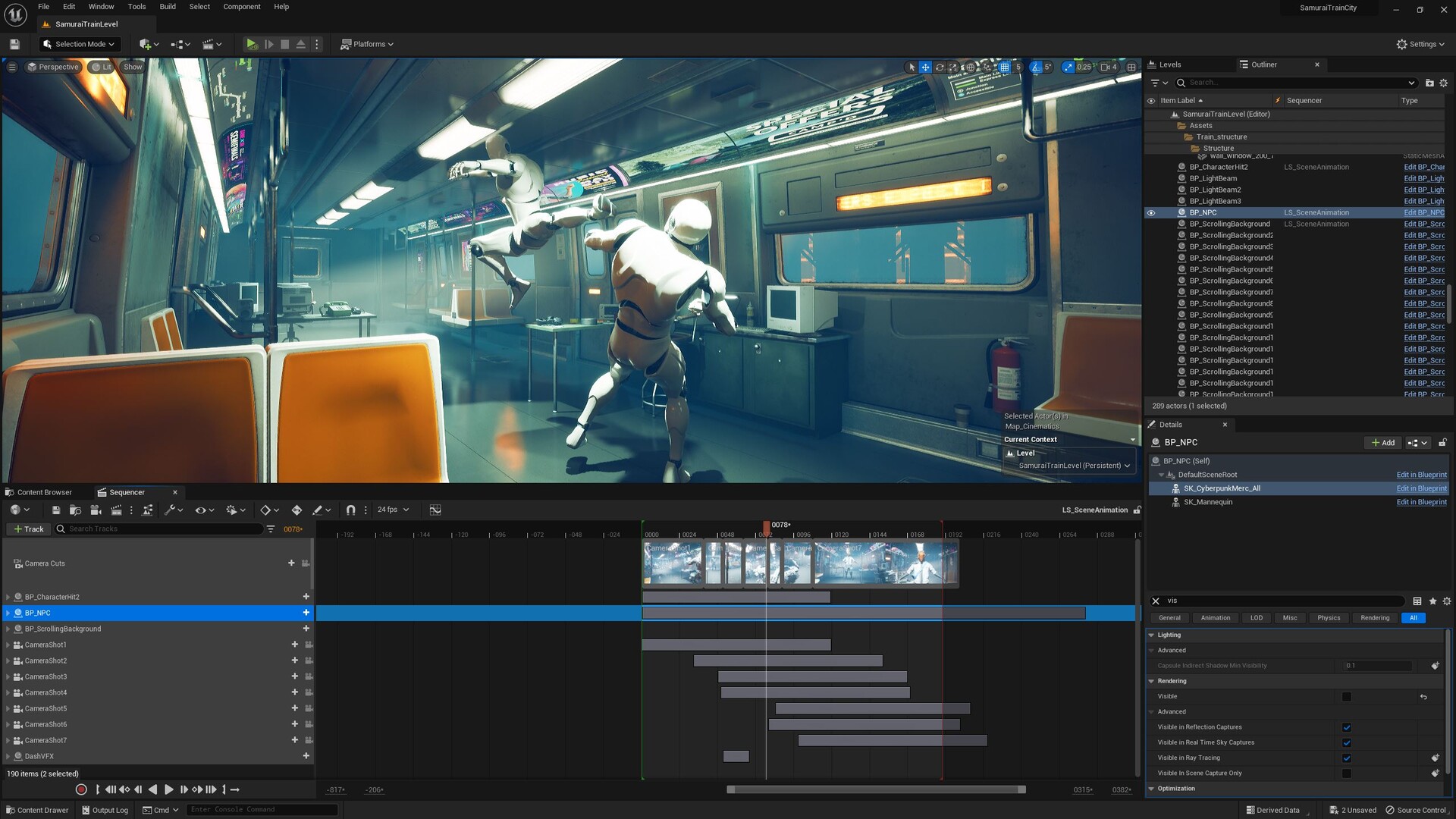
I used motion capture animation data with the Unreal Engine default mannequin rig. This way I could use any character I wanted with retargeting. It also made it easy for me to make keyframe and additive adjustments to better suit the scene I had in mind.
Niagara VFX for the blink ability. I modified a Niagara System to work in the cinematic.

I created a bunch of posters using Adobe Poster Maker. I then created a very simple material to get the emission effect I wanted.

The background you see in the train windows are moving meshes with emission. They move along a spline very quickly and I have a few of them.